
Stay in full control of your rental equipment. No chaos, paperwork, or lost tools.
Toolero is a simple system for tracking, checking out, and returning rental equipment. Serve customers faster, avoid mistakes, and always know who has what - and for how long.
No credit card required. Setup takes 15 minutes.
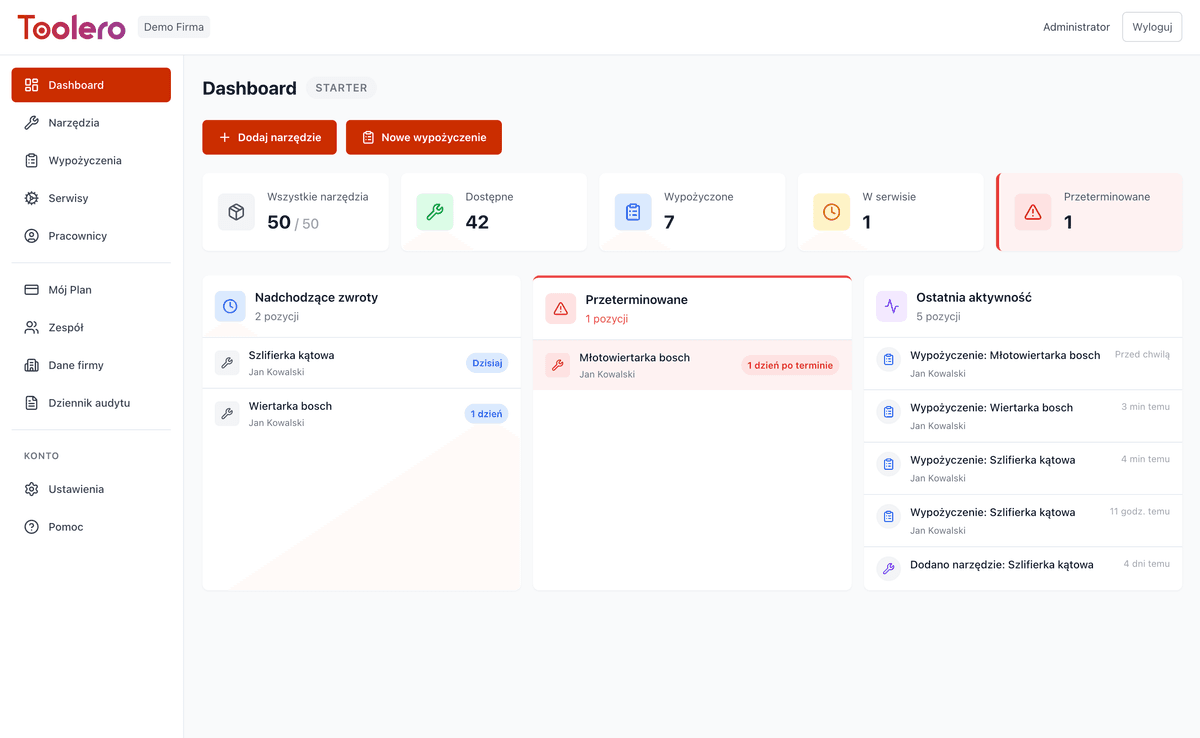
Why rental businesses choose Toolero
Because the biggest problem isn't lack of customers - it's lack of control over equipment.
Equipment check-out in 2 minutes
Scan the QR code, assign a customer, done. Instead of 10 minutes with a notebook - 2 minutes with your phone. Customer leaves faster, you earn faster.
Always know who has the gear
Every check-out and return is logged with date, name, and equipment condition. No more arguments about damage or missing gear. Zero guesswork.
Ditch the spreadsheets and notebooks
One system instead of three spreadsheets, a notebook on the counter, and notes in a drawer. Everything in one place, accessible from your phone.
New staff serves customers from day one
The system guides them step by step: scan QR → customer → deposit → check-out. No week-long training needed. New hires handle customers from their first day.
What equipment can you manage with Toolero?
Toolero works wherever you rent out, lend, or share physical equipment.
Tools & machinery
Drills, grinders, saws, generators, compactors, cranes and your entire fleet. Toolero handles equipment worth $50 to $500,000.
Cars & vehicles
Delivery vans, flatbeds, trailers, forklifts. Track inspections, mileage, and technical condition.
Bikes & scooters
City bikes, mountain bikes, e-bikes, scooters. Perfect for tourist and urban rental businesses.
Sports & outdoor gear
Kayaks, SUPs, skis, snowboards, climbing gear. Seasonal or year-round rentals with condition tracking.
Medical & rehab equipment
Hospital beds, wheelchairs, oxygen concentrators, rehab equipment. With full service and inspection history.
Electronics & IT
Laptops, tablets, printers, scanners and office equipment. Track serial numbers, licenses and battery condition.
Event & stage equipment
Sound systems, lighting, stages, tents, tables and chairs. Track kit completeness and condition after every event.
Garden & agricultural equipment
Lawn mowers, tillers, chainsaws, leaf blowers and sprayers. Seasonal rentals with service scheduling.
Everything a small or mid-sized rental business needs
No unnecessary features. Only what you actually use.
- Your entire fleet in one place - no more spreadsheets
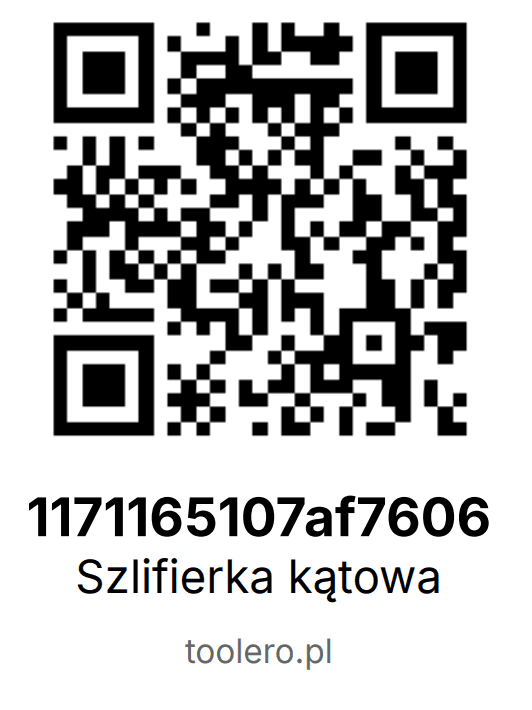
- Check-out and return in 2 minutes with QR codes
- Full history: who, when, how long, and in what condition
- Deposits settled in one click on return
- Damage logged instantly - you know who's responsible
- See at a glance what's available, rented, or in service
- Reports without data gathering - the system generates them for you
Advance Reservations
Customers reserve equipment for specific dates. You plan ahead and secure demand.
Reservation Calendar
See what's reserved and when. Plan equipment availability and avoid surprises.
Conflict Warnings
System automatically checks availability and warns when equipment is already reserved for the selected dates.
Reservation Confirmation
You decide whether to accept. Status flow: pending → confirmed → completed.
Quick Fulfillment
Customer arrives - one click and the reservation becomes an active rental.
How does it work?
4 simple steps to a modern rental business
Add your equipment
Enter your equipment into the system and print QR codes.
Check out equipment
Scan the QR code and assign the equipment to a customer in seconds.
Track rentals
See what’s rented out, what’s overdue, and who has the equipment.
Accept returns
Scan the code, record the condition, and settle the deposit.
Toolero vs Excel vs notebook
Compare how rental management looks with three different approaches.
Frequently asked questions - rental businesses
How to handle deposits in the system?
Toolero allows recording deposits at rental checkout. When issuing equipment, you record the deposit amount, and on return - settle it. The system maintains a history of all deposits and simplifies customer settlements.
Can I track equipment damage on return?
Yes. When accepting returns, you can mark equipment condition, add damage notes and photos. The system maintains a complete condition history for each tool - you know exactly when and with whom damage occurred.
How to manage customer database in Toolero?
Toolero has an external customer module. Add businesses and individuals with contact details. For each customer you can see rental history, return punctuality and any notes. Quickly find customers for repeat rentals.
Does the system support multiple rental locations?
Yes. Toolero supports multiple locations, so you can manage several branches from one account. Each location has its own inventory, and you have a full view of all branches simultaneously.
How to generate a rental agreement?
Toolero enables generating rental agreements in PDF format based on templates. Customers can sign electronically on a phone or tablet. The agreement is automatically linked to the rental and available in history.
How much does Toolero cost for a rental business?
Toolero plans start at 99 PLN/month. Every plan includes a free 7-day trial with no credit card required. See current pricing and plan comparison at /pricing.
How quickly can I set up Toolero for my rental business?
Registration takes 2 minutes. Adding your first 10-20 tools takes about 15-30 minutes. Printing and applying QR labels - another 30 minutes. Most rental businesses start working with the system the same day.
Do I need a special printer for QR codes?
No. You can print QR codes on any regular printer - laser or inkjet. Toolero generates labels ready to print on adhesive paper. If equipment is used outdoors, we recommend laminating labels or using protective film.
Does Toolero work on phones and tablets?
Yes. Toolero is a web app that works in any browser on any device - computer, phone, or tablet. No installation needed. You can scan QR codes with your phone camera directly from the app.
Is my data safe in Toolero?
Yes. Data is encrypted in transit (SSL/TLS) and stored on EU servers. Passwords are secured with the Argon2 algorithm. Regular backups are performed. The system is GDPR-compliant - learn more at /security.
Can I migrate data from Excel to Toolero?
Yes. You can add equipment manually or contact us - we'll help import data from your spreadsheet. Most rental businesses have 20-200 items, so even manual entry takes just a few hours.
How many staff members can use one account?
It depends on the plan. Every plan allows multiple users with different roles - owner, checkout staff, service technician. See plan details and comparison at /pricing.
Does Toolero offer integrations with other systems?
Toolero doesn't have a public API, but we offer custom integrations based on your needs. Contact us - we'll discuss how to connect Toolero with your accounting system, website, or other tools.
How fast is Toolero support?
Contact us via email (kontakt@toolero.pl). We respond within 24 hours on business days. Customers on higher plans get priority support with faster response times.
Want to bring order to your rental business?
Always know where your equipment is, who rented it, and when it's due back.
Try it free - 7 daysNo credit card required. Setup takes 15 minutes.