
No more damage disputes and missing evidence at equipment return
Document equipment condition at return with notes. Assess damage, collect digital signatures and track deposits manually. Clear return documentation.
7-day free trial. No credit card required.
Without return protocols you lose money on damage
Four most common problems for companies without a return documentation system.
No equipment condition documentation
Equipment comes back damaged but you have no proof of its condition at checkout. It's your word against theirs - impossible to prove who caused the damage.
Customer disputes over damage
The customer claims the damage was pre-existing. Without photos and a protocol you have no evidence. You lose money or the customer.
No condition documentation at return
You don't document equipment condition at return. When damage shows up you have no evidence - every bit of damage is a guessing game.
Manual damage fee calculation
You estimate damage costs from memory. With no damage price list, fees are charged inconsistently and customers are unhappy.
Return protocols under full control
Four key capabilities of Toolero's return protocol system.
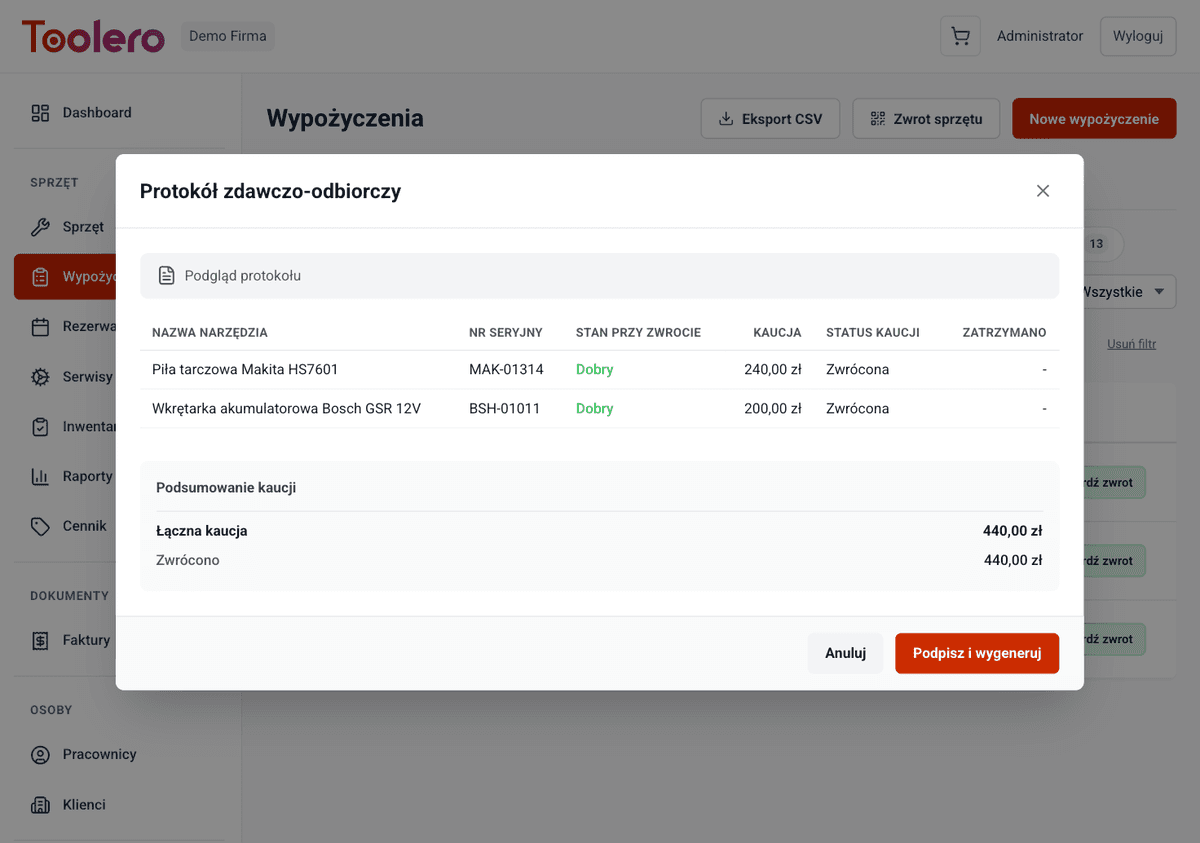
Equipment condition notes
Add notes about the equipment condition at return. Complete written documentation of every tool's state.
Damage assessment
Mark damage and describe its nature and extent. Clear records for every return.
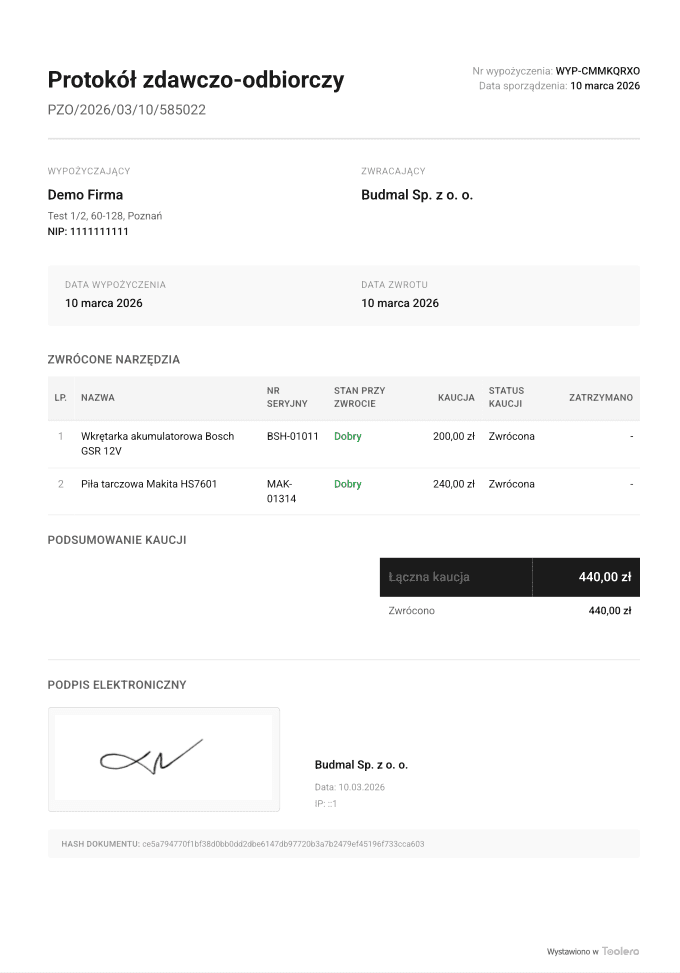
Digital signature
Customer signs the return protocol on the device. Legally binding confirmation of equipment condition at return.
Full equipment condition history
Every return creates an entry in the tool's condition history. You know how the equipment looked after each rental.
Return protocol features
Everything you need for professional equipment return documentation.
- Notes documenting equipment condition at return
- Damage assessment with description of nature and extent
- Equipment condition documentation at return
- Customer's digital signature on the return protocol
- Record deposits withheld for damage
- Full equipment condition history - an audit trail for every tool
How return protocols work
Three simple steps from equipment return to full documentation.
Document condition at return
Add notes about the returned equipment's condition. Document any visible damage or issues.
Assess damage
Mark any damage found and describe its nature. Manage deposit deductions manually from the settlement.
Collect signature and close
The customer signs the return protocol on the device. Documentation is saved with the rental record.
Toolero vs paper methods
Compare return protocols in Toolero with traditional documentation methods.
Frequently asked questions
Which plan includes return protocols?
Return protocols are available in all plans, starting from Starter. You can document equipment condition with notes, collect signatures and track deposits.
Can I add notes to the return protocol?
Yes. At return you can add detailed notes about equipment condition. Notes are linked to the specific rental and tool.
How does deposit tracking work?
You can record deposit amounts per rental and manage their return manually from the settlement. The system keeps a record of all deposit transactions.
Does the customer sign the protocol digitally?
Yes. The customer signs on the device (phone, tablet). The signature is part of the return protocol and serves as legally binding confirmation of equipment condition.
How do I handle damage charges?
Damage is documented in the return protocol notes. Deposit deductions are managed manually from the rental settlement.
Start documenting returns professionally
No more damage disputes and missing evidence. Return protocols with notes, signature and deposit tracking.
Try for free7-day free trial. No credit card required.