Toolero
See Toolero in Action

How the tool management system works

Add tools to the system, assign them to employees or customers, track deadlines and equipment status. Three simple steps to full control over your equipment.

15 min setup
30% savings
99% accuracy

14-day free trial. No credit card required.

Areas of operation

Toolero is a comprehensive system covering all aspects of equipment and tool management.

Equipment inventory

Add tools with QR codes, serial numbers, photos and documentation. Complete equipment database always at hand.

Rentals

Issue and receive equipment with date tracking, responsible persons and tool condition. Automatic deadline notifications.

Services and inspections

Schedule technical inspections, maintenance and calibrations. System will remind you of upcoming deadlines.

Reservations

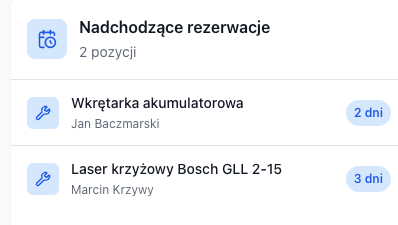
Let employees reserve equipment in advance. System automatically detects scheduling conflicts.

Employees

Assign equipment responsibility, define roles and permissions. Everyone knows what they're accountable for.

Customers

Maintain contractor database, track rental and cooperation history. Perfect for rental businesses.

Reports and export

Export data to CSV, generate equipment utilization reports. Analyze costs and plan purchases.

QR Codes

Generate and print QR labels for every tool. Scan with your phone – instantly see all data.

Operation history

Complete log of all actions in the system. Who did what and when – you always have proof.

Notifications

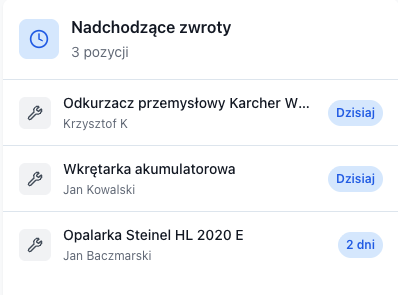
Automatic reminders about return deadlines, inspections and reservations. Email or in-app.

Attachments

Add photos, certificates, manuals and invoices to every tool. Everything in one place.

How it works – step by step

From your first tool to full control in minutes. The system adapts to your needs – issue equipment to employees internally or to external customers.

Add equipment to database

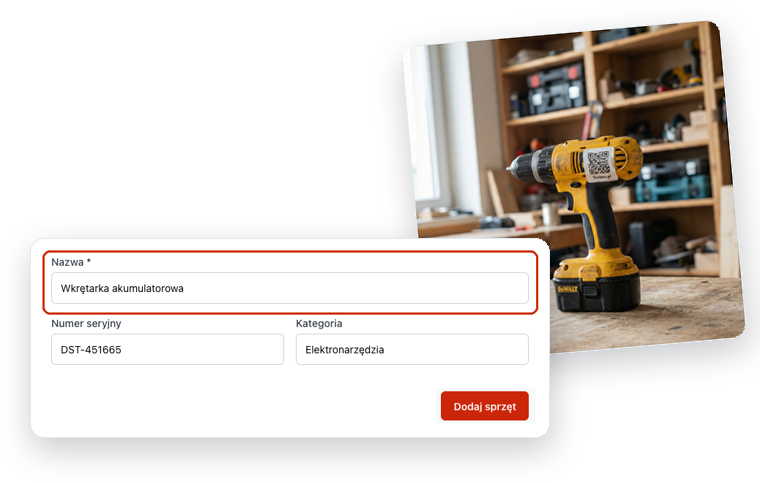
Enter tools manually or import from CSV file. For each tool you can add photos, serial number, category, location and documents. System automatically assigns unique ID.

Formularz dodawania nowego narzędzia w Toolero

Label your tools (optional)

If you want, print QR code labels and stick them on tools. This speeds up checkouts and returns, but is not required – the system works without QR codes too.

Strona drukowania etykiet QR

Issue to employee or customer

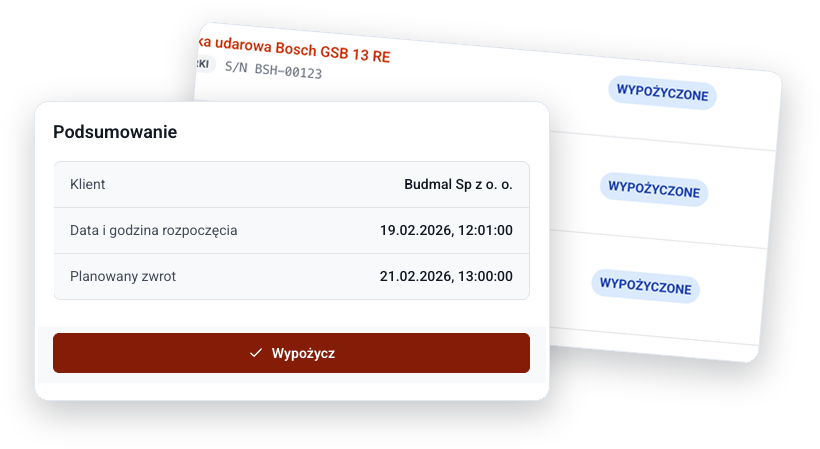
Select a tool from the list or scan its QR code, then assign it to an employee or external customer. Set expected return date. System records everything.

Formularz wydania sprzętu

Track status and get notifications

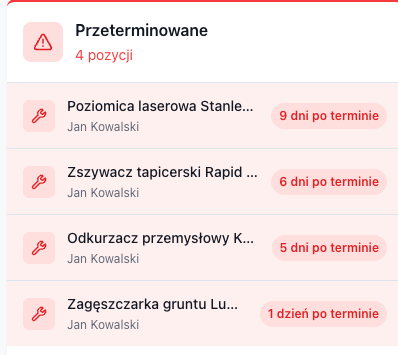
Dashboard shows who has what equipment and when it should return. System automatically sends reminders before due dates and alerts about overdue items.

Dashboard z podglądem wypożyczeń i statusów

Accept return and assess condition

Find the rental in the list or scan the QR code, check tool condition and close the rental. You can add notes about damage. Complete history stays in the system.

Ekran zwrotu narzędzia

Proven in practice

See how companies from different industries solved their equipment management problems with Toolero.

Construction company

32 employees, 3 job sites simultaneously
Challenge

Tools were getting lost on construction sites, nobody knew who had the equipment. Losses reached several thousand dollars annually on buying duplicates.

Solution

Implemented Toolero with QR codes. Every checkout and return is recorded. Workers scan codes with their phones when taking tools.

Results after 6 months

85% fewer lost tools, full employee accountability, $5,000 annual savings.

Manufacturing company

Production facility, 150+ measuring tools
Challenge

No control over calibration and inspection deadlines. Measuring tools were losing certificate validity, risking fines during audits.

Solution

Implemented service module with automatic reminders. Each tool has an assigned calibration and inspection schedule.

Results after 6 months

100% on-time calibrations, zero fines for expired certificates, passed ISO audit.

Equipment rental

Construction tool rental, 80+ items
Challenge

Chaos in rentals, manual notes in notebook, lost reservations. Customers waited for equipment that turned out to be unavailable.

Solution

Implemented customer and reservation module. Online availability calendar, automatic SMS notifications about upcoming return dates.

Results after 6 months

40% more rentals thanks to better organization, zero double bookings, higher customer satisfaction.

We had a problem tracking 200+ tools in the field. After deploying Toolero, every technician scans QR codes on their own when picking up equipment. We save 2-3 hours daily on administration.
Chris Miller
Logistics Coordinator, ServiTech

Frequently asked questions

Answers to questions we hear most often from new users.

Is the system hard to use?

No. Toolero is simpler than Excel. Adding tools, checkouts and returns are just a few clicks. Workers learn the system in 5 minutes, no IT training needed.

Can I manage equipment from my phone?

Yes. Toolero works fully on phones and tablets. You can issue equipment, scan QR codes and check tool statuses from anywhere - in the warehouse, on site, or on the road.

Can the system handle both internal use and external rentals?

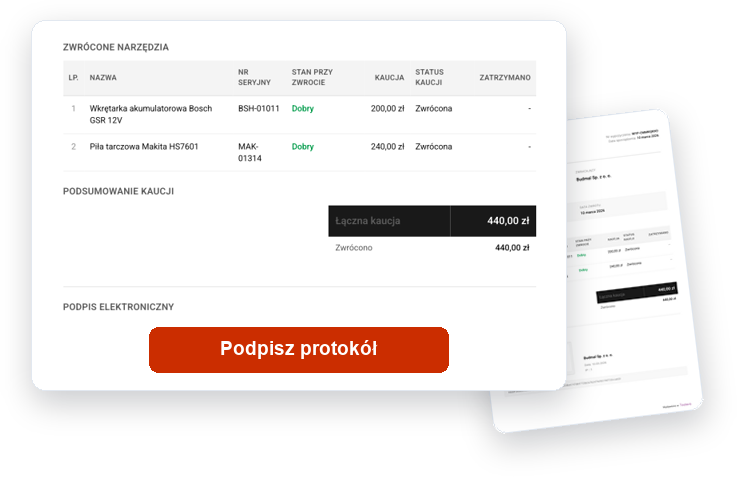
Yes. Toolero supports both issuing equipment to employees and renting to external customers. You can maintain a customer database, record deposits and generate PDF contracts.

What does issuing equipment look like step by step?

Select a tool from the list or scan its QR code, choose the recipient (employee or customer), set the expected return date and confirm. The whole operation takes 10-15 seconds.

Can I import data from Excel?

Yes. Toolero supports data import from CSV files. Export your Excel to CSV, then import directly into the system. The entire migration takes a few minutes.

Can multiple people use the system simultaneously?

Yes. All users can work in the system at the same time - on computers and phones. Changes are visible immediately to everyone. There are no limits on concurrent sessions.

Ready to see it in practice?

Create a free account and see how Toolero can organize equipment management in your company.

Try free for 14 days

No credit card required. Full access to all features.

How Toolero Works – Tool Management System