
Make decisions based on data, not gut feeling
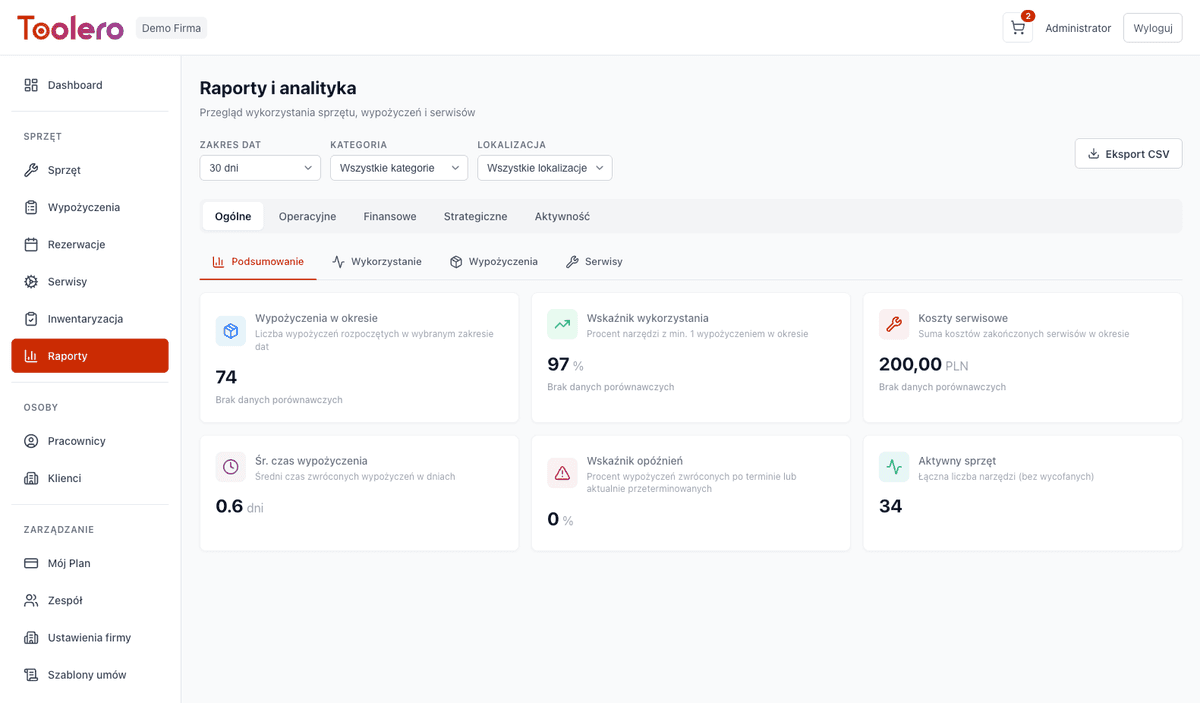
13 report types in 5 analytical groups. From general fleet overview to detailed profitability analysis of every tool.
7-day free trial. No credit card required.
Without reports you're flying blind
Three most common problems of companies that don't analyze equipment data.
No cost visibility
You don't know how much equipment maintenance really costs. Purchase and replacement decisions are made without data.
Inefficient utilization
Some equipment sits idle while other is overloaded. Without reports you don't know which equipment pays for itself.
Blind decisions
You plan budgets and purchases without hard data. You don't know which tools generate revenue and which cause losses.
No service cost control
You don't know how much repairs and inspections cost. You can't assess whether it's worth servicing equipment or replacing it.
Five report groups, complete picture
Each report group answers different business questions.
General reports
Fleet overview: stock levels, categories, locations. Quick snapshot of your entire company.
Operational reports
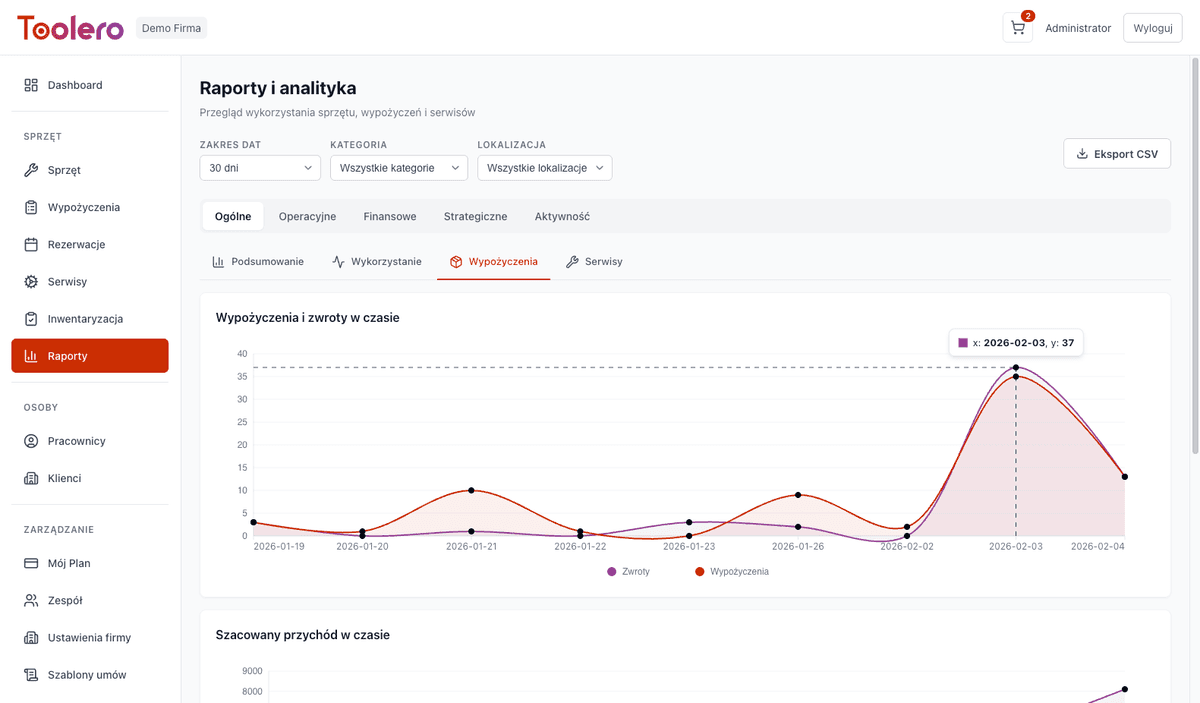
Equipment utilization, idle tools, rotation and turnaround time. Optimize operational processes.
Financial reports
Equipment profitability, rental revenue, service costs. Keep finances under control.
Strategic reports
Seasonality, equipment lifecycle, trends. Plan investments and replacements based on data.
Activity reports
Customer and employee analytics. Who generates revenue, who rents most frequently.
What exactly you can analyze
Full list of available reports and analytics in Toolero.
- Equipment utilization - how much time each tool is in use
- Profitability - revenue minus costs for each equipment
- Idle equipment - tools that aren't earning
- Seasonality - rental trends over time
- Customer analytics - top customers, frequency, revenue
- CSV export - download data for further analysis
How to use reports
Three simple steps to better business decisions.
Choose report group
Open the reports module and select one of 5 groups: general, operational, financial, strategic or activity.
Analyze data
Browse charts, tables and KPIs. Filter by dates, categories and locations.
Export and act
Download report as CSV or make a decision based on the data. Optimize your equipment fleet.
Toolero vs other methods
Compare Toolero's reports module with alternatives.
Frequently asked questions
What reports are available in Toolero?
Toolero offers 13 report types in 5 groups: general (fleet overview), operational (utilization, idle, rotation), financial (profitability, revenue), strategic (seasonality, lifecycle) and activity (customers, employees).
Which plan includes reports?
Basic reports are available from the Business plan. The full reports package, including financial and strategic analytics, is available in Pro and Enterprise plans.
Can I export reports?
Yes, all reports can be exported to CSV files. The CSV export feature is available from the Pro plan.
Do reports update automatically?
Yes, reports are generated on the fly from current system data. No configuration needed - just open the reports module.
How does the idle equipment report work?
The system analyzes rental history and identifies tools that haven't been used in the selected period. This way you know which equipment isn't earning and can sell it, rent it out, or move it to another location.
Can I filter reports by categories or locations?
Yes, every report can be filtered by date range, equipment categories and locations. This lets you analyze data for a specific department, warehouse or type of tools.
Start analyzing your equipment data
Make better decisions with Toolero reports.
Try for free7-day free trial. No credit card required.