
Know who has your tools. Always.
Check out equipment to employees → see who has what → get it back on time. No more calling, searching, or disappearing tools.
7-day free trial. No credit card required.
Sound familiar?
Common problems for companies that issue equipment without a system.
Disappearing equipment
Tools go missing, nobody knows who took them. You buy new ones while old ones sit in someone's drawer.
Calling around crews
Looking for a drill? Call five people. 'I don't know', 'I think Marek had it', 'I'll check tomorrow'.
Excel and paper notes
Notebooks with names, crumpled papers, spreadsheets nobody updates. Zero reliable data.
No accountability
An employee says they returned it, but nobody saw the equipment. No proof of who had it last.
Full control with Toolero
One system instead of phone calls, papers, and guessing.
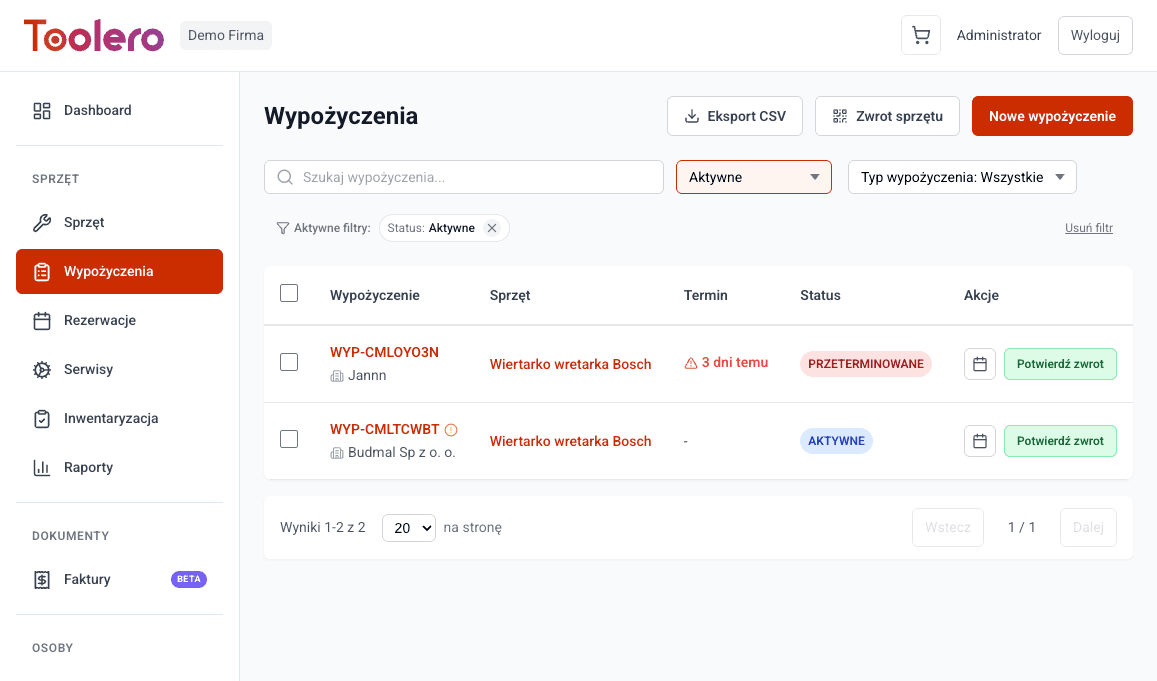
Who has what - 1 click
See who took a tool, when, and for how long. No phone calls needed.
Full equipment history
Every checkout and return is recorded. Know who had a tool at any point in time.
Zero calls and searching
No need to call around crews. Open the system and see everything.
Employee accountability
Every checkout is assigned to a specific person. No more 'I don't know who took it'.
What you get
Everything you need to control equipment in your company.
- Complete list of all tools and devices
- One-click checkout and returns
- Full history of every tool
- QR codes for quick identification
- Employee database
- Works on phone and computer
How it works
From zero to full control in 3 steps.
Add your tools
Enter the name, serial number. Optionally generate a QR code. Done in minutes.
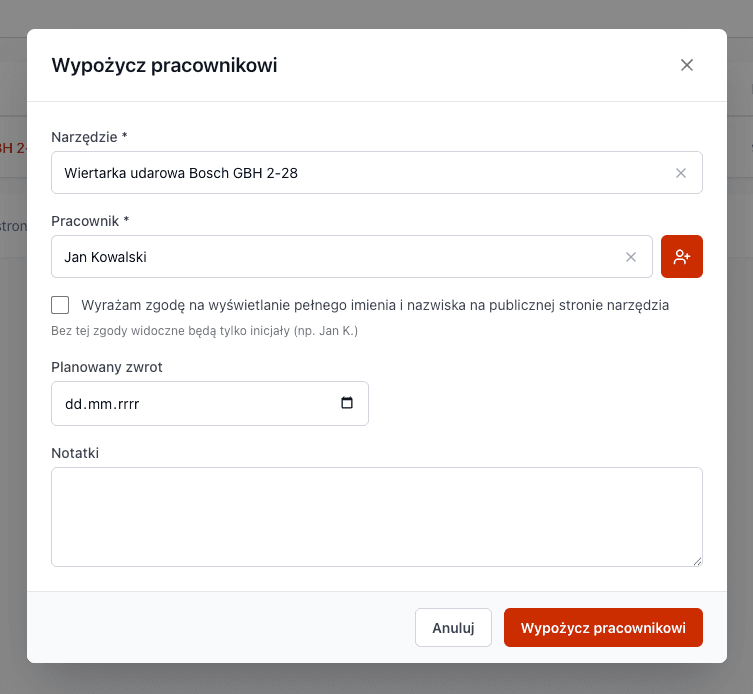
Check out to employee
The warehouse manager selects a tool and employee, clicks 'Check out'. The system records who, what, when.
Stay in control
At any moment, see who has what equipment, since when, and if they should have returned it.
Toolero vs paper and Excel
Compare your current methods with a professional system.
Frequently asked questions
Can employees take equipment on their own?
No. Equipment is checked out by the warehouse manager or office. You have full control over who gets what.
Do I need to install anything?
No. Toolero works in the browser. Just go to the website and start. Works on computer and phone.
How quickly can I start?
Registration takes 2 minutes. You'll add your first tool in 5 minutes. No configuration needed.
What if someone loses a tool?
You know who had the equipment last. You have the full checkout history and can hold the employee accountable.
Can I try without a credit card?
Yes. 7 days free, no credit card required. You only pay when you decide to stay.
Can I import data from Excel?
Yes. Toolero supports CSV import. Export your Excel to CSV and import into the system in minutes.
Stop wasting time searching for equipment
Start controlling who has your tools. Try Toolero.
Try for free7-day free trial. No credit card required.