
Stop calculating prices manually and making pricing mistakes
Pricing categories, time ranges, service bundles and price rules. Configure once - the system calculates for you.
7-day free trial. No credit card required.
Manual pricing costs you time and money
Four most common problems of businesses without a pricing system.
Excel price lists get outdated
You update prices in one file, but the rest of the team uses the old version. The customer gets an outdated quote.
Manual calculation errors
Wrong rates, forgotten discounts, incorrect tax. Every manual quote is a risk of mistakes that cost you margin.
No standardization
Every employee calculates differently. One gives a discount, another doesn't. The customer gets different prices depending on who picks up the phone.
Too much time on quotes
Preparing a quote takes 15-30 minutes: finding rates, counting days, adding services. The customer won't wait - they go to your competitor.
Pricing under full control
Four key capabilities of Toolero's pricing engine.
Pricing categories
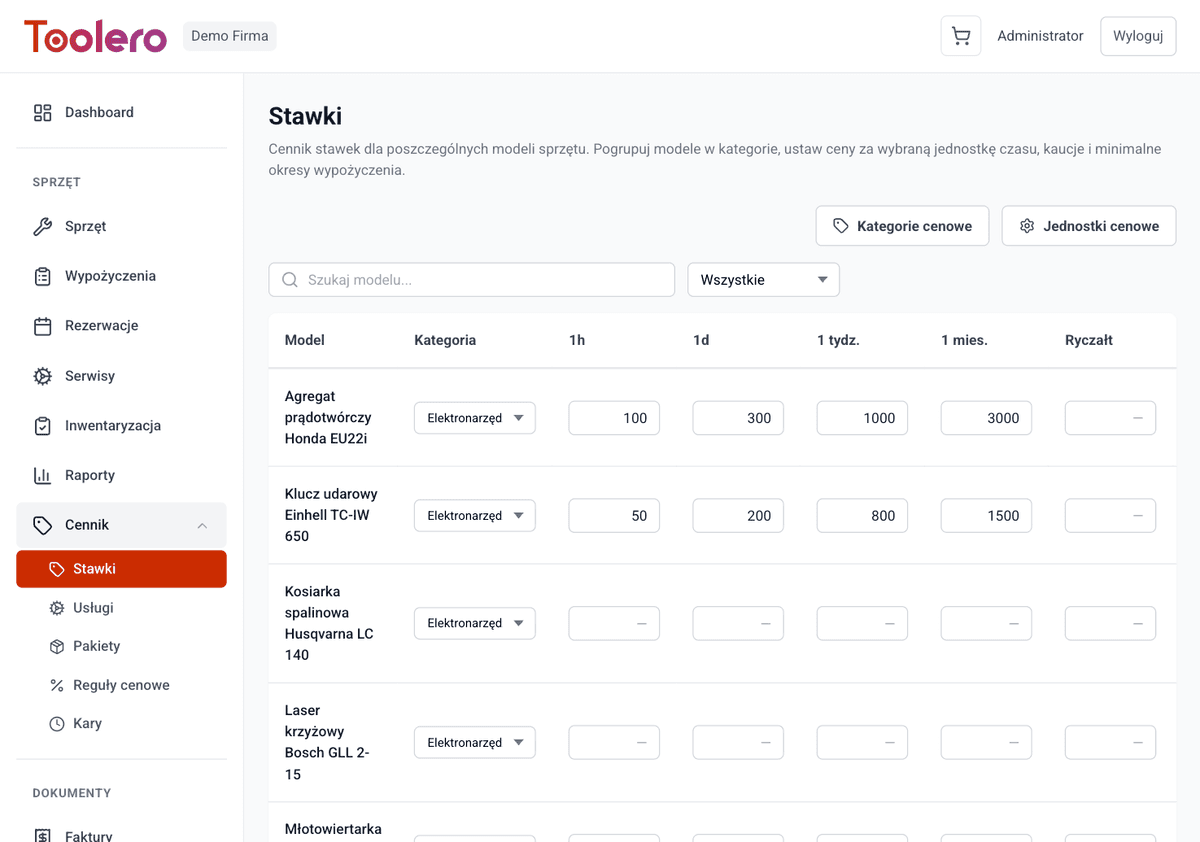
Group equipment models into categories with different rates. Drills, scaffolding, excavators - each category has its own price list.
Time ranges
Rates per hour, day, week, month. Degressive pricing - the longer, the cheaper. The system automatically selects the best rate.
Service bundles
Bundle equipment with services: drill + transport, scaffolding + installation. One price for the entire package.
Price rules
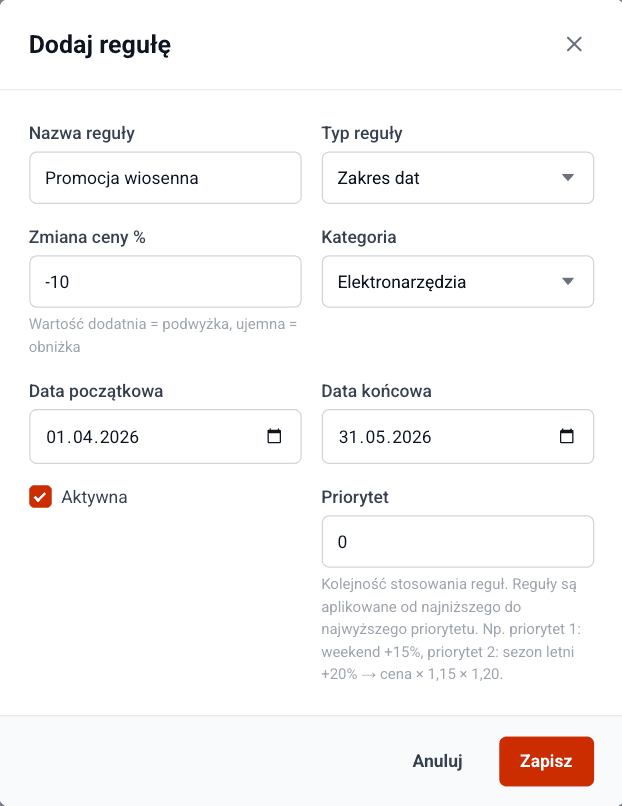
Automatic price adjustments per date or day of the week. Higher rates on weekends, lower in off-season.
Pricing engine features
Everything you need for professional price management.
- Pricing categories with equipment model grouping
- Time ranges: hour, day, week, month with degressive pricing
- Service bundles - bundle equipment with services
- Price rules - automatic adjustments per date/day of week
- Volume discounts - discounts for larger orders
- Volume discounts - automatic price cuts on larger orders
How to set up pricing
Three simple steps to automated quotes.
Configure categories
Create pricing categories and assign equipment models to them. Each category can have different rates.
Set rates
Define rates per hour, day, week and month. Add price rules, discounts and service bundles.
Done - the system calculates
When creating a rental, the system automatically calculates the price based on the configured rates, with all discounts applied.
Toolero vs Excel and manual methods
Compare Toolero's pricing engine with traditional quoting methods.
Frequently asked questions
Which plan includes the pricing engine?
The pricing engine is available from the Business plan. Pro and Enterprise plans offer additional features like advanced price rules and customer discounts.
Can I set different prices for weekends?
Yes. Price rules allow you to set automatic price adjustments per day of the week. For example, you can set higher rates for Saturday and Sunday.
How does degressive pricing work?
You define rates per hour, day, week and month. The system automatically selects the most favorable combination of rates for the chosen rental period.
Can I set volume discounts?
Yes. You can configure volume discounts for larger orders. The system applies them automatically based on order size.
How does automatic rate selection work?
The system analyzes the rental period and automatically picks the most favorable combination of rates (hourly, daily, weekly, monthly), so the customer pays as little as possible.
Start quoting automatically
No more manual calculations and errors. Configure pricing once - the system calculates for you.
Try for free7-day free trial. No credit card required.