
Stop manually calculating rental costs and losing track of payments
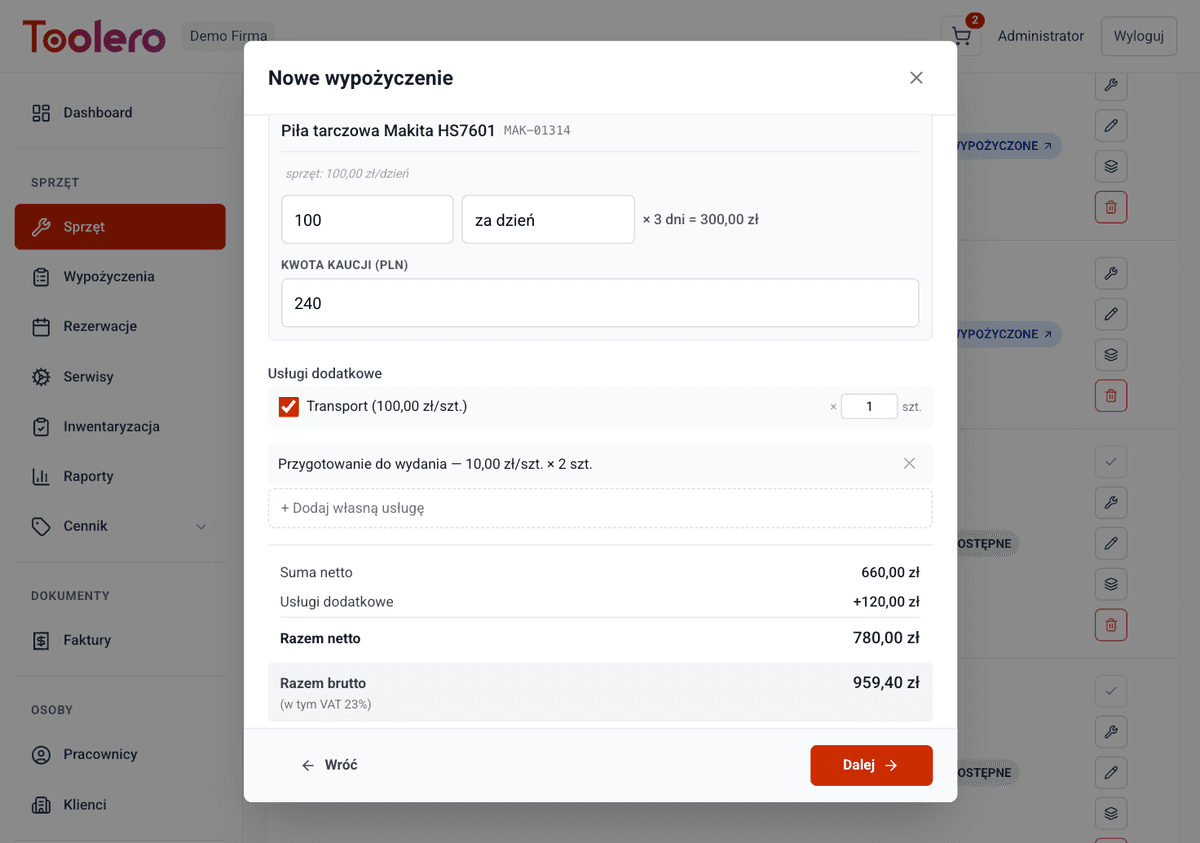
Automatic cost calculation based on rental duration, additional services and damage fees. Track payment statuses and browse settlement history. Everything in one place.
7-day free trial. No credit card required.
Manual billing costs you time and money
Four most common problems of businesses without a settlement system.
Manual cost calculations
You calculate on a calculator: days, rates, services, deposits, damages. One mistake and you lose margin or the customer overpays.
Payment chaos
You don't know who paid and who hasn't. Chasing payments takes hours without a clear status overview.
No damage tracking
Equipment comes back damaged but you don't know how much to charge. No damage pricing means disputes with customers.
Settlements take too long
Settling a rental takes time: check rates, count days, add services. The customer waits while the queue grows.
Billing under full control
Four key capabilities of Toolero's settlement system.
Automatic calculation
The system calculates costs based on rental duration, pricing rates, additional services and damage fees. Zero manual calculation.
Payment tracking
Balance tracked in real time: total charges minus payments. You instantly see what's left to pay and who's behind.
Settlement history
Complete history of all settlements with filters and search. Every transaction is documented.
Pricing integration
Settlements automatically pull rates from the pricing engine. Pricing changes immediately affect new calculations.
Settlement system features
Everything you need for professional rental billing.
- Automatic cost calculation based on duration and rates
- Balance and payment status derived automatically from payments (never set by hand)
- Damage charges and missing item fees
- Settlement history with a full record
- Pricing engine integration - automatic pricing
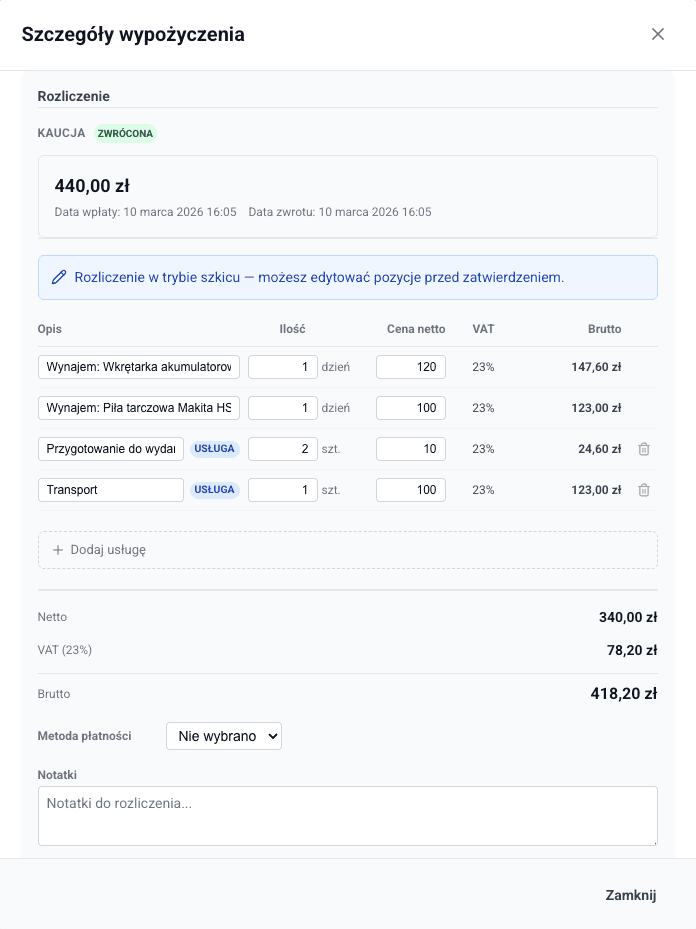
- Partial settlements: settle selected tools or a period, accept partial payments - the balance tracks the rest
How settlements work in Toolero
Three simple steps from rental to full settlement.
Create a rental
When creating a rental, the system automatically calculates the cost based on the price list, additional services and duration.
Track payments
The balance updates automatically with every payment (full or partial). You always see what's left to pay and who's behind.
Close the settlement
When equipment is returned, add any damage or extension charges. The system generates a complete settlement summary.
Toolero vs Excel and manual methods
Compare Toolero's settlement system with traditional methods.
Frequently asked questions
Which plan includes settlements?
The settlement system is available from the Starter plan - in all plans. You can track payments, calculate costs and browse settlement history.
Does the system automatically calculate costs?
Yes. Based on the pricing engine, the system automatically calculates rental costs including duration, additional services and applicable rates.
What payment statuses are available?
A settlement shows the amount due, and the payment status (unpaid / partial / paid / invoiced) is derived from the balance: total charges minus payments. You can settle in full or partially - selected tools, a period or a subscription - and accept partial payments. The status is computed automatically, not set by hand.
Can I charge for damages?
Yes. When equipment is returned, you can add charges for damages or missing items. The amount is added to the settlement.
Can I browse settlement history?
Yes. The system stores complete settlement history. You can filter by date, customer, payment status and other criteria.
See also
Rental contracts
Generate contracts from templates, collect electronic signatures on device
Learn moreReports & analytics
13 report types in 5 groups. Analyze utilization, costs and equipment profitability
Learn moreFor rental companies
Equipment rental management system with online reservations
Learn moreStart billing automatically
No more manual calculations and payment chaos. Toolero calculates for you.
Try for free7-day free trial. No credit card required.