
All your customers in one place, with history and checks
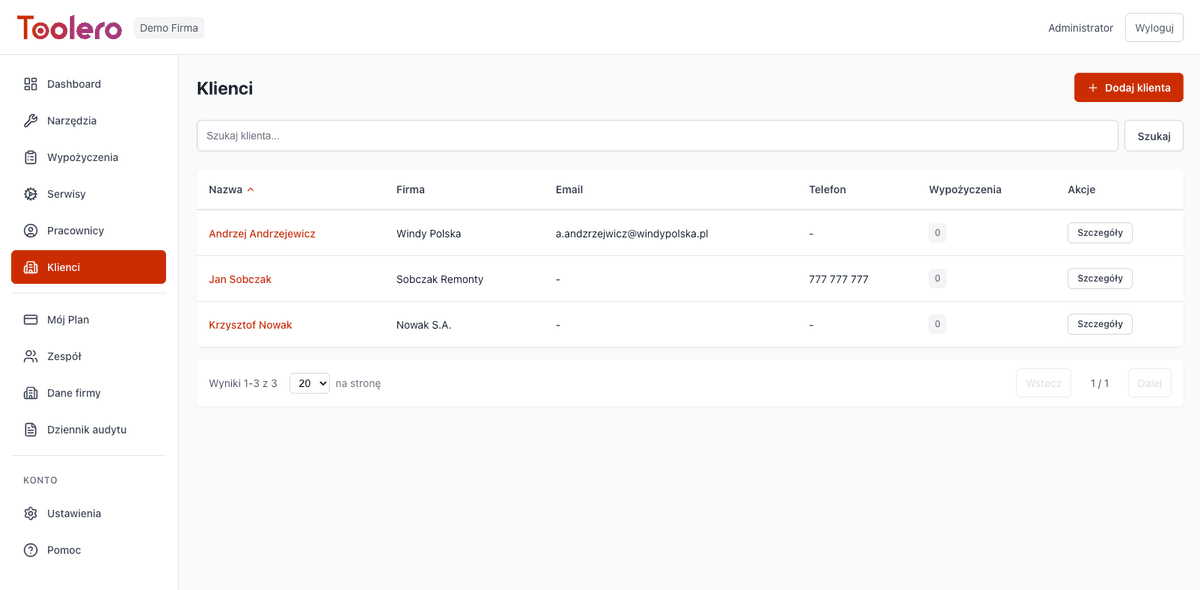
Company and private customer details, rental history, contractor checks in registers and protected identity data. All on the customer card.
7-day free trial. No credit card required.
When your customer base lives in Excel
Four problems that keep coming back in any rental business without a proper customer register.
Customers spread across files
Contact details in a spreadsheet, a phone and emails. Nobody knows which version is current.
No history of the relationship
You cannot see at a glance what a customer rented, how they returned equipment and whether there were problems.
Renting without checking the contractor
Equipment goes to a company that is not an active VAT payer or is in bankruptcy. You only find out at debt collection.
Sensitive data left unprotected
ID numbers stored in a file anyone can open. That is a GDPR risk and a risk with every leaked file.
A customer base that works with your rental business
Four things that change from day one.
One customer card
Contact and company details, invoice recipients and full rental history in one view. For companies and private customers.
Contractor verification
Toolero checks VAT status and the bankruptcy register. The customer gets a trust badge with an expiry date, and you can rerun the check at any time.
Reliability score
Based on rental history you can see how reliable a customer is before you hand over equipment again.
Protected identity data
National ID and document numbers are encrypted and shown masked. Full data is revealed only with a stated reason, and every reveal is logged.
What the customer module includes
Available on every Toolero plan.
- Company and private customers, with autocomplete and filters
- Rental history on every customer card
- VAT status and bankruptcy register check
- Mark that a customer document was physically checked
- Separate KSeF invoice recipients linked to the customer
- Import customers and recipients from CSV, including Polish Excel files
Getting started with the customer database
Three steps from a spreadsheet to an organised register.
Import your customers
Upload a CSV file, even straight from Polish Excel. Before saving you see who will be added and who is already in the base (by tax ID). Up to 5000 rows per file.
Check your contractors
Run the register check. Toolero verifies VAT status and the bankruptcy register and saves the result on the customer card.
Rent with full knowledge
When creating a rental you pick the customer from the base and immediately see their history and reliability score.
Toolero vs a customer list in Excel
Compare the Toolero customer register with a spreadsheet and notes.
Frequently asked questions
Which plan includes the customer database?
The customer database with contractor verification, reliability scoring and identity data protection is available on every Toolero plan.
How does Toolero check a contractor?
The check covers VAT status and the bankruptcy register. The result is saved as a trust badge with an expiry date, and you can rerun the check manually at any time.
Can I move my customers from Excel?
Yes. CSV import accepts up to 5000 rows per file and reads Polish Excel files (semicolon, Windows-1250 encoding). Before saving you see who will be added and who is already in the base. Existing customers are updated only with your explicit consent.
How are national ID and document numbers protected?
The data is encrypted and shown masked by default. A full reveal requires a reason, is rate-limited, and every reveal is logged: who, when, why and from which IP address. The feature can be switched off in company settings and the data deleted.
Can I also keep employees and partners?
Yes. Employees have a separate register with assigned equipment and rental history, and partners, such as subrental, service providers and resellers, have their own cards with relationship history.
Organise your customer base today
Import customers from Excel and check contractors before you hand over equipment.
Try free for 7 daysNo credit card. Full access for 7 days.