Equipment theft and fraud cost the US rental industry over $100 million annually, according to the American Rental Association. What's worse — 40% of theft incidents involve people who had legitimate access to the equipment.
That means the risk isn't just from strangers. It's often the same customers who rent from you.
For rental businesses, this means one thing: customer verification isn't a formality — it's protecting your business. This article is a complete guide: from basic ID checks, through business verification, to difficult cases like international customers.
Risk Table: Who's Renting
| Customer Type | Risk Level | Recommended Deposit |
|---|---|---|
| New customer, individual | High | 100% of value |
| New customer, registered business | Medium | 50-70% of value |
| New customer, corporation | Medium-Low | 40-60% of value |
| Repeat customer (3+ rentals, no issues) | Low | 30-50% of value |
| Customer with late return history | High | 100% + prepayment |
| Customer with unrecovered equipment | Critical | Decline |
| International customer (tourist, worker) | High | 100% + passport copy |
Verifying Individuals — Full Procedure
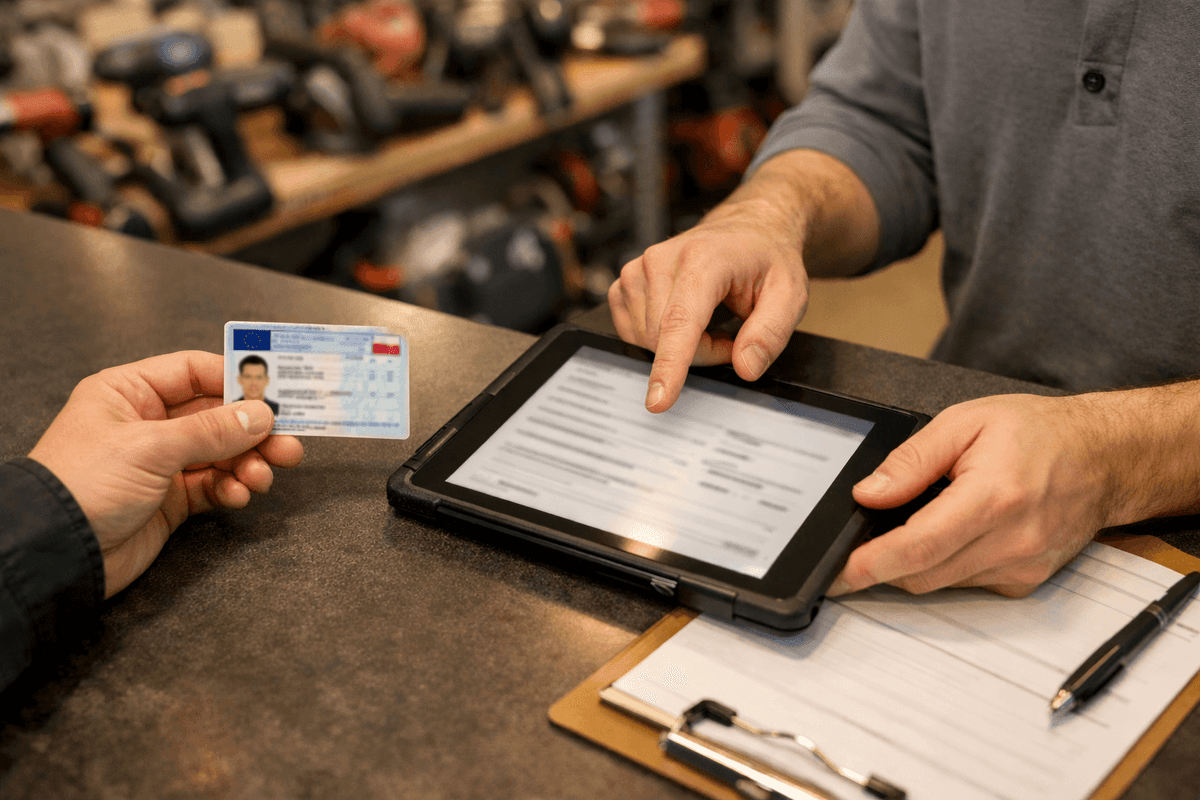
Step 1: Government ID
What to check:
- Photo — does it match the person
- Expiration date — expired = invalid
- Security features — alterations visible under light
- ID number — record in contract
Red flags:
- "I forgot my ID, I have a library card" — not sufficient
- Damaged, unreadable ID
- Photo doesn't match person (different hair, age)
Step 2: Phone Verification
Call the provided number while customer is present. You're checking:
- Does the phone ring
- Does the customer answer it
- Is the number "theirs" (not borrowed for a moment)
Red flags:
- Phone doesn't ring
- Someone else answers
- "That's my work phone, I'll give you my personal" — and provides another unverified number
Step 3: Address Verification
Compare address on ID with address provided in contract.
If they differ — ask questions:
- "I live somewhere else than my registered address" — ask for utility bill or lease agreement
- "I just moved" — higher deposit or decline
Step 4: ID Copy
Take a photo or scan of the ID. This is your proof that you verified identity.
How to do it legally:
- Inform customer of purpose (securing the rental)
- Get consent (preferably written in contract)
- Store securely (not on desktop)
- Delete after business relationship ends (or after statute of limitations — typically 3-6 years)
Sample contract clause:
"I consent to processing a copy of my identification document for the purpose of securing claims arising from this rental agreement. The copy will be deleted within 3 years of agreement termination."
Verification Checklist — Individual
□ Government ID — checked, valid
□ ID number — recorded in contract
□ Phone — called while customer present, works
□ Address — matches ID or otherwise documented
□ ID copy — taken, consent obtained
□ Deposit — collected per risk table
Verifying Businesses — Full Procedure
Businesses are lower risk than individuals — but only if you verify them properly.
Step 1: Check Business Registration
For sole proprietorships:
- Go to your state's Secretary of State website
- Enter business name or registration number
- Check:
- Status: "Active" ✓
- Business address
- Owner name
- Registration date (new business = higher risk)
For corporations/LLCs:
- Go to state corporate search
- Enter company name or registration number
- Check:
- Status: "Active" or "Good Standing" ✓
- "Officers" or "Members" section — who can sign contracts
- Registered agent and address
- Formation date
Step 2: Verify the Signer
Can the person who came to your shop sign contracts on behalf of the company?
| Situation | What to Do |
|---|---|
| Owner of sole proprietorship | Check ID, compare with registration |
| Officer of corporation | Check ID, compare with corporate filings |
| Employee | Require written authorization letter |
| "I'm from company X" without documents | Decline or call company to verify |
Authorization Letter Template
If an employee comes instead of owner — require this document:
AUTHORIZATION LETTER

[Company name], EIN: [number], represented by [owner/officer name],
hereby authorizes:

[Employee name], ID number: [number]

to enter into equipment rental agreements on behalf of the company
for the period from [date] to [date].

Maximum value per rental: $[amount]

[Date, signature, company stamp/seal]
Step 3: Verify Contact Information
Don't trust information provided by customer. Verify yourself:
- Go to company website
- Find contact phone and email
- Call — confirm that person X is an employee and can rent equipment
Red flags:
- Company has no website
- Phone on website doesn't answer
- "We don't have that employee"
Verification Checklist — Business
□ Business registration — checked, company active
□ Signing authority — person can sign or has authorization
□ Company phone — verified through website
□ Employee details — confirmed by company
□ Deposit — collected per risk table
Credit Checks
For larger rentals (over $1,250) it's worth checking customer in credit databases.
Available Options in the US
| Service | What It Contains | How to Check |
|---|---|---|
| Experian Business | Business credit reports | experian.com/business |
| Dun & Bradstreet | Business credit scores | dnb.com |
| Equifax Small Business | Credit reports for small businesses | equifax.com |
| LexisNexis | Comprehensive background checks | risk.lexisnexis.com |
How it works in practice:
- Customer signs consent to credit check (add to contract)
- You log into the service
- Enter business EIN or SSN
- Get report: credit score, payment history, liens
When worth it: equipment > $1,250, new customer, long rental period.
When not worth it: small rentals, repeat customers — $15-50 per check doesn't pay off.
International Customers — How to Verify
Tourists, foreign workers, international companies — higher risk because equipment is harder to recover.
Individual from Abroad
| Document | What to Check |
|---|---|
| Passport | Photo, expiration, number |
| Visa (if applicable) | Type, validity, work authorization |
| US address | Hotel, rental, temporary residence |
Additional safeguards:
- Deposit 100% of equipment value
- Passport copy
- US address (hotel, apartment)
- US phone number (easier to reach)
Foreign Company
- Check registration in home country (equivalent of corporate filings)
- Verify US branch if they have one
- Require 100% prepayment for entire period
- Consider declining for companies with no US presence
For international customers without permanent US address — consider declining or require full prepayment + equipment value as deposit. Recovering equipment from abroad is practically impossible.
Warning Signs — Extended Table
| Signal | What It May Mean | Response |
|---|---|---|
| Rushing, pressure | Wants to avoid verification | Standard procedure, no exceptions |
| "Why do you need my SSN?" | May have something to hide | Explain it's standard. Refusal = no rental |
| Phone registered to someone else | False contact info | Ask for different number or decline |
| Cash only (large amounts) | Avoiding paper trail | Suggest card or wire transfer |
| Zero questions about equipment | Doesn't intend to use properly | Ask about intended use |
| Address outside your service area | Harder to recover equipment | Higher deposit or decline |
| New business (< 6 months) | May be set up for fraud | Higher deposit, verify owner personally |
| Renting "for someone else" | "Picking up for my buddy/boss" | Decline — only person in contract |
| Aggressively negotiating deposit | Doesn't have money or plans not to return | Stick to your rates |
| Arrived without vehicle | How will they transport heavy equipment? | Ask about transportation |
Rule: one signal = caution. Two or more = serious risk.
Conversation Scripts for Verification
When Customer Objects to Verification
Customer: "Why do you need a copy of my ID? Nobody else asks for that."
You: "This is standard procedure at our shop. The equipment has significant value and we need to protect both parties. If everything goes smoothly — we delete the copy 3 months after return."
Customer: "I'm not giving you my SSN, that's sensitive information."
You: "I understand your concern. The ID number helps us identify customers if there are any issues — it's a safeguard like in any contract. Without it we can't proceed with the agreement, but I can offer a higher deposit as an alternative."
Customer: "I'm in a hurry, don't have time for paperwork."
You: "Verification takes 5 minutes. Without it I can't release the equipment — that's a rule without exceptions. If you're in a hurry, I can speed up, but all steps must be completed."
When Red Flags Appear
Customer: "I forgot my ID, I have my driver's license."
You: "A driver's license works for identification, but I'll also need a utility bill or other document showing your current address."
Customer: "I'm picking up for my friend, he's sick."
You: "The agreement can only be signed by the person who will use the equipment. Your friend needs to come in person or provide written authorization with a copy of their ID."
Deposit by Equipment Value
| Equipment Value | New Customer | Repeat Customer |
|---|---|---|
| up to $125 | 100% | 50% |
| $125 - $500 | 100% | 50% |
| $500 - $1,250 | 70-100% | 40-50% |
| over $1,250 | 50% + insurance | 30% + insurance |
For equipment over $1,250, also require:
- Prepayment for entire rental period
- Renter's liability insurance or extended coverage
Forms of Deposit
| Form | Pros | Cons |
|---|---|---|
| Cash | Immediate, certain | Theft risk, storage hassle |
| Wire transfer | Secure, bank record | Processing time (1-2 days) |
| Card hold/authorization | Fast, convenient | Requires terminal, fees |
| Item deposit (e.g., car keys) | Strong motivation to return | Legal issues, not recommended |
Best practice: wire transfer or card hold + cash as alternative.
Online Customer Verification
Online reservations require additional steps.
| Stage | Action |
|---|---|
| At reservation | ID scan via email, card prepayment (min. 50%) |
| Before pickup | Verification call — confirm details |
| At pickup | Compare ID to scan, photo of customer |
| Payment | Verify card belongs to this person |
Online Verification Procedure Step by Step
- Customer reserves through website/phone
- You send email requesting:
- ID scan (both sides)
- 50% prepayment
- After receiving — you call and confirm:
- Details from ID
- Pickup time
- Intended use
- At pickup:
- Compare ID with scan
- Take photo of customer with ID
- Collect remaining payment + deposit
Never release equipment to anyone other than the person who made the reservation. "I'm picking up for my buddy" = decline.
Customer History — What to Record
| Field | Why It Matters |
|---|---|
| Rental date | Shows frequency |
| What they rented | Customer profile (contractor, DIYer) |
| Due date vs actual return | Punctuality history |
| Equipment condition at return | Do they take care of things |
| Notes | Issues, damage, behavior |
| Status | Trusted / Standard / Blocked |
Customer Status System
TRUSTED (green)
- 3+ rentals without issues
- Always on-time returns
- Equipment in good condition
→ Deposit 30-50%, faster service

STANDARD (yellow)
- New customer after verification
- Customer with minor delays (1-2 days)
→ Deposit per table, full procedure

WATCH LIST (orange)
- 3+ day delay in history
- Equipment returned damaged
- Communication problems
→ Deposit 100%, additional verification

BLOCKED (red)
- Unrecovered rental
- Fraud or attempted fraud
- Aggressive behavior
→ Decline rental
"Rehabilitation" — Giving Second Chances?
Customer had issues in the past but wants to come back. What to do?
| Type of Problem | Give Another Chance? | Conditions |
|---|---|---|
| 3-7 day delay (one-time) | Yes | Deposit 100%, reminder of rules |
| 7+ day delay | Carefully | Deposit 100% + prepayment, short period |
| Equipment damaged (repaired) | Yes | Deposit 100%, insurance |
| Equipment damaged (didn't pay) | No | Until they settle the debt |
| Unrecovered equipment | No | Never |
| Aggression, threats | No | Never |
Rehabilitation procedure:
- Conversation — why was there a problem?
- Settlement of outstanding amounts (if any)
- Signing statement acknowledging the rules
- Deposit 100% for first 3 rentals
- After 3 successful rentals — return to "Standard" status
Industry Loss Statistics
According to the National Equipment Register, recovery rates for stolen or fraudulently obtained equipment drop below 7% once the trail goes cold.
Small tools are stolen most often (58% of cases) — exactly what you rent out most frequently.
40% of theft incidents cause project delays of 3-4 weeks. For rental shops this means: equipment that should be earning sits blocked in collections.
Summary — Complete Verification Procedure
Individual (5 minutes)
1. Government ID → check photo, date, ID number
2. Phone → call while customer present
3. Address → compare with ID
4. ID copy → take, get consent
5. Deposit → collect per table
6. History → record in system
Business (7 minutes)
1. Registration → check with state
2. Signing authority → can person sign?
3. Authorization → if employee, not owner
4. Company phone → verify through website
5. Person's ID → check, compare with records
6. Deposit → collect per table
7. History → record in system
International Customer (10 minutes)
1. Passport → check, copy
2. Visa → if applicable
3. US address → where they're staying
4. US phone → verify
5. Deposit → 100% of value
6. Prepayment → 100% of rental
Every customer. No exceptions. 5-10 minutes.
Those 5-10 minutes can save you months of collections and thousands of dollars in losses.
If you want complete customer history in one place and automatic risk categorization, Toolero does it for you. 14-day free trial, no credit card required.