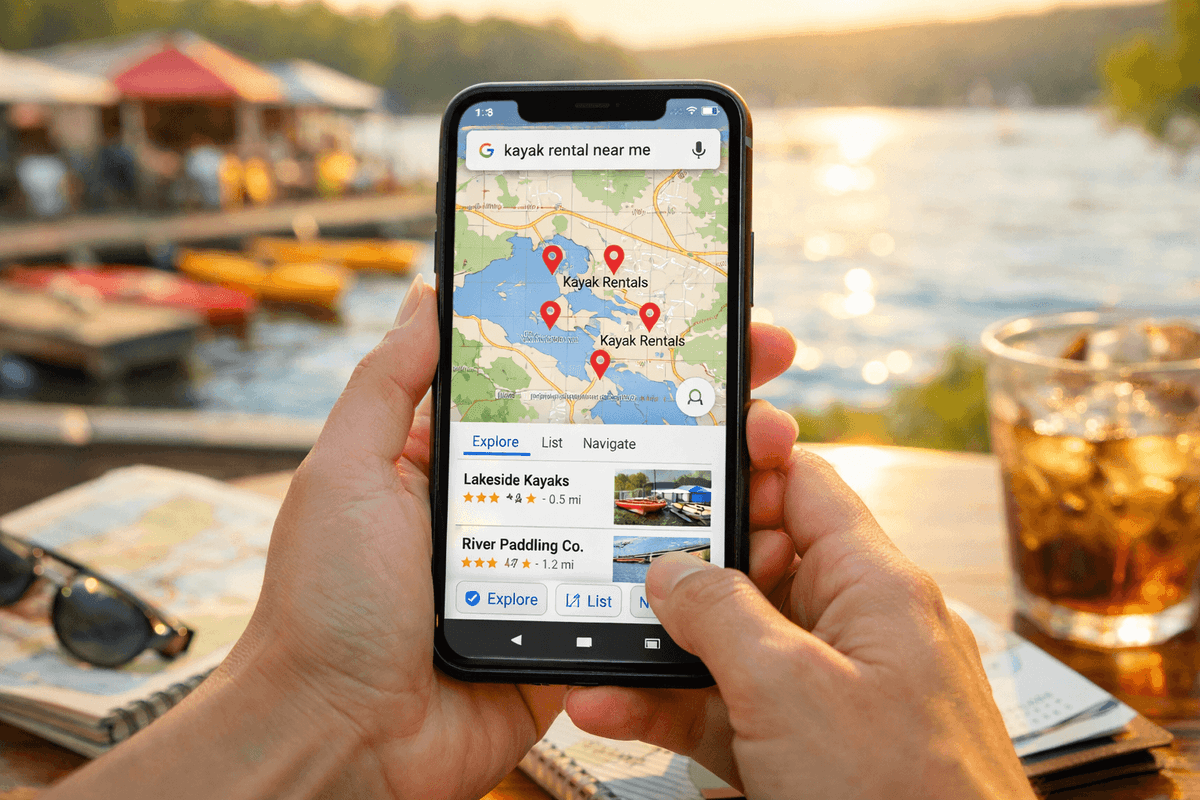
It is 7 AM on a Saturday in June. A family is planning a lake trip and needs a kayak. They do not flip through a phone book. They do not ask a neighbor. They pull out a phone and type "kayak rental near me."
According to Google, 80% of local searches lead to a visit or a call within 24 hours. For seasonal rental businesses - kayaks, bikes, ski gear, SUP boards, party tents - that search is the moment of truth. If your business does not show up, the customer goes to your competitor. Not because their gear is better, but because they were easier to find.
The problem is that many seasonal rental owners invest in equipment, storage, and maintenance but treat online presence as an afterthought. The result: a short season, half-empty inventory, and a nagging sense that there should be more customers.
This guide walks you through five concrete steps to change that. No fluff, no jargon - just practical actions you can start this week.
Step 1: Claim and Optimize Your Google Business Profile
Google Business Profile (GBP) is the single most impactful free tool for a local rental business. When someone searches "bike rental [your city]," the first thing they see is the map pack - three businesses with photos, ratings, and a link. That is where you need to be.
How to Set It Up
- Go to business.google.com and sign in with a Google account.
- Click "Add your business" and enter your business name.
- Choose the right category. For rentals, good options include "Equipment Rental Agency," "Bicycle Rental Service," "Boat Rental Service," or "Party Equipment Rental Service." Pick the most specific one that fits.
- Enter your physical address. If you operate from a seasonal location (like a lakeside kiosk), use that address during the season.
- Add your phone number and website (even a simple one-page site works).
- Verify your business - Google will send a postcard or offer phone/email verification.
What to Fill In (Do Not Skip These)
| Field | What to Enter | Why It Matters |
|---|---|---|
| Business hours | Exact seasonal hours (e.g., May 1 - Sep 30, 8 AM - 7 PM) | Prevents "are you open?" calls |
| Description | 750 characters about your rental, gear types, location | Helps Google match you to searches |
| Services | List every rental type with prices | Customers compare before visiting |
| Photos | 10+ high-quality photos of gear, location, happy customers | Listings with photos get 42% more direction requests |
| Attributes | "Wheelchair accessible," "Credit cards accepted," etc. | Helps niche searches |
How to Collect Reviews
Reviews are the single biggest ranking factor for local search. Here is a system that works:
- After every rental return, hand the customer a card or send a text: "Thanks for renting with us! A Google review helps us a lot: [your review link]."
- To get your direct review link, search for your business on Google, click "Write a review," and copy the URL.
- Respond to every review - positive or negative. A simple "Thank you, see you next season!" shows you care.
- Never offer discounts for reviews. Google penalizes that. Instead, just make it easy and ask consistently.
Target: 20+ reviews before peak season. Businesses with 20+ reviews get significantly more clicks than those with 5 or fewer.
Step 2: Build a Website with Local SEO
A Google Business Profile gets you into the map pack. A website gets you into organic search results - and gives you a place to convert visitors into customers.
Keywords That Matter for Seasonal Rentals
The key to local SEO is matching what people actually search for. Here are the patterns:
| Search Pattern | Example | Monthly Search Volume (Typical) |
|---|---|---|
| [equipment] rental [city] | "kayak rental Austin" | 500-2,000 |
| [equipment] rental near me | "bike rental near me" | 1,000-5,000 |
| [equipment] rental [region/lake/trail] | "SUP rental Lake Travis" | 200-800 |
| [equipment] rental prices [city] | "ski rental prices Breckenridge" | 100-500 |
| best [equipment] rental [city] | "best party tent rental Denver" | 50-300 |
Website Structure That Ranks
You do not need a complex site. Here is a minimum viable structure:
- Homepage - your main keyword (e.g., "Kayak and SUP Rental in Austin, TX"), clear pricing, call to action
- Equipment page - photos, descriptions, and daily/weekly prices for each item
- Contact page - contact form, phone number, WhatsApp or Messenger link
- Location page - embedded Google Map, driving directions, parking info
- About/Contact page - your story, phone, email, seasonal hours
On-Page SEO Checklist
For each page, make sure you have:
- Title tag with your main keyword (e.g., "Kayak Rental Austin | [Business Name]")
- Meta description mentioning city, equipment type, and a reason to click
- H1 heading matching the page topic
- Alt text on every image (e.g., "Family paddling rental kayak on Lady Bird Lake")
- NAP consistency - your Name, Address, and Phone must be identical everywhere online
- Schema markup for LocalBusiness - helps Google understand your business details
Quick Win: Location-Specific Landing Pages
If you serve multiple areas, create a page for each one. For example:
- /kayak-rental-austin
- /kayak-rental-lake-travis
- /kayak-rental-san-marcos
Each page should have unique content about that specific location - not just the city name swapped in. Mention local landmarks, parking, water conditions, and travel tips.
Step 3: Set Up a Rental Management System
Here is the hard truth: getting more customers through the door means nothing if you cannot serve them efficiently. When your Google profile and website start driving traffic, you need a system that handles the increased volume without falling apart.
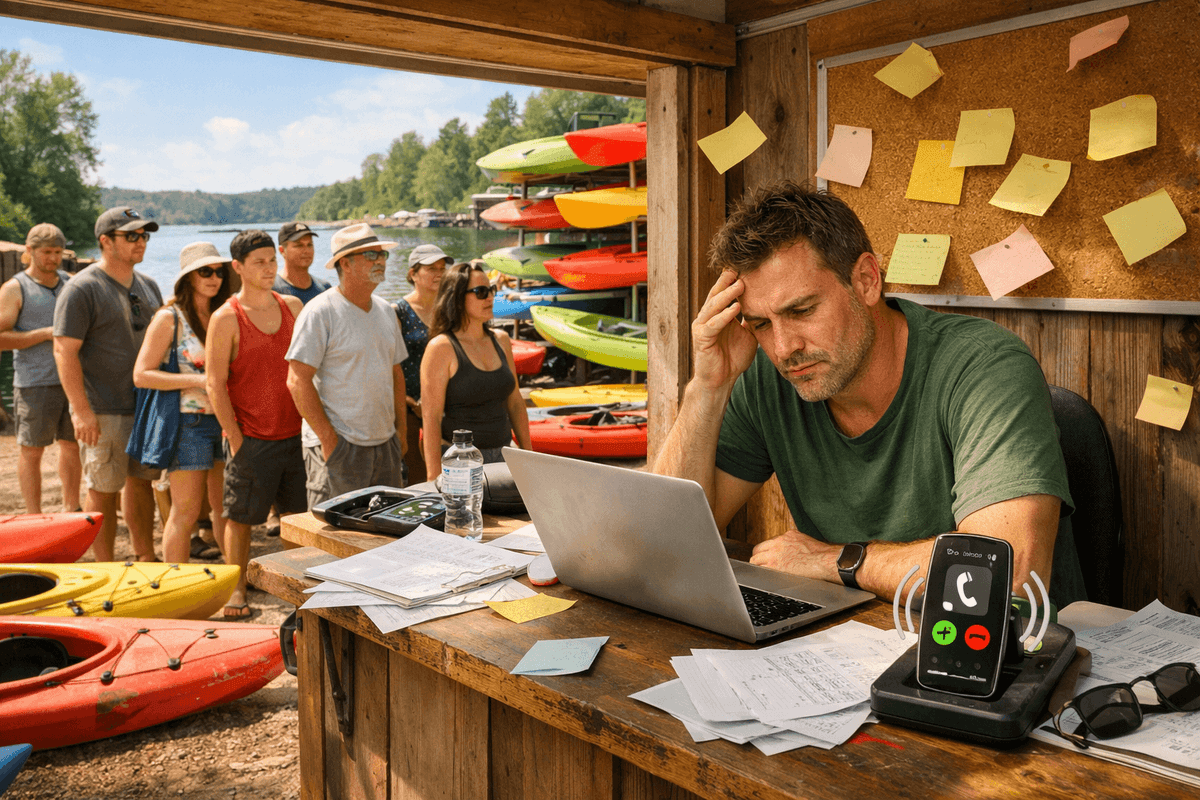
More customers with the same manual process means longer lines, more double-bookings, and more frustrated people leaving one-star reviews. And those reviews destroy the SEO and reputation work you did in steps 1 and 2.
Why Spreadsheets Break at 20+ Customers per Day
| Scenario | Spreadsheet / Notebook | Digital Management System |
|---|---|---|
| Customer asks if a kayak is free Saturday | Scroll through rows, hope it is current | Check the screen - answer in 2 seconds |
| Two reservations for the same equipment | You find out when the customer is standing in front of you | System blocks the conflict automatically |
| Customer returns equipment | Write it down manually, sometimes forget | QR code scan - status updates instantly |
| End-of-day reconciliation | 30 minutes of detective work | Report generates automatically |
How a Management System Gets You More Customers
This is not a contradiction. An internal management system directly impacts how many customers you serve:
- Faster service -- QR code scan instead of searching notebooks means 3 minutes per customer instead of 10. At 20 customers a day, that is an extra hour of capacity
- Zero overbookings - every satisfied customer is a potential five-star Google review. Every customer turned away empty-handed is a one-star review waiting to happen
- Equipment tracking - know in real time what is available, what is rented, what is in maintenance
- Customer history - know who rented before, how often, whether there were issues. Repeat customers are the cheapest marketing
If you are not sure how to keep things organized during busy season, a management system is the first line of defense against double-bookings and lost equipment.
What a Good Rental Management System Should Do
- Equipment tracking with QR codes (scan at checkout and return)
- Real-time availability calendar
- Conflict detection for overlapping reservations
- Customer records with rental history
- Checkout and return protocols (equipment condition, photos)
- Post-season reports (what is profitable, what is not)
Setting Prices Online: Be Transparent
One of the biggest mistakes seasonal rentals make is hiding prices. Customers who cannot find prices leave your site. Period. Display your rates clearly:
| Equipment | 1 Hour | Half Day | Full Day | Weekend |
|---|---|---|---|---|
| Single Kayak | $20 | $45 | $65 | $110 |
| Double Kayak | $30 | $60 | $90 | $150 |
| SUP Board | $25 | $50 | $70 | $120 |
| Life Jacket | Free | Free | Free | Free |
This is not just good for customers - it is good for SEO. Google loves structured pricing content, and it reduces "how much?" phone calls by 50% or more.
Step 4: Use Social Media Seasonally
Social media for a seasonal rental is not about going viral. It is about being visible when your season starts, staying top-of-mind during peak months, and building anticipation for next year.
A Seasonal Social Media Calendar
| Month | Content Type | Examples |
|---|---|---|
| 2 months before season | Anticipation | "Getting the fleet ready! 47 kayaks waxed and ready for the lake." |
| 1 month before season | Early bird offers | "Book your Memorial Day weekend rental now - slots fill fast." |
| Season start | Availability updates | "Opening day tomorrow! First 10 bookings get a free dry bag." |
| Peak season (weekly) | Customer photos, tips | Reshare tagged photos, "5 best routes from our dock" |
| End of season | Last-chance posts | "Last weekend of the season. Don't miss it." |
| Off-season (monthly) | Maintenance, planning | "Off-season maintenance day. Your kayaks are in good hands." |
Platform Priorities
You do not need to be everywhere. Pick one or two:
- Instagram - best for visual gear, scenic locations, customer photos. Use Stories for daily updates during season.
- Facebook - best for local community, events, groups. Good for older demographics and sharing booking links.
- Google Posts - often overlooked. Post directly to your Google Business Profile. Shows up in search results.
Content That Works for Rentals
- Customer photos - ask permission and reshare. Real people using your gear is the most convincing content.
- Behind-the-scenes - cleaning, maintaining, and preparing gear shows professionalism.
- Local tips - "Best picnic spots along the river" positions you as a local expert, not just a rental shop.
- Weather updates - "Beautiful day tomorrow, 78F and sunny. We still have SUP boards available."
Avoid posting only promotional content. The 80/20 rule works well: 80% useful or entertaining content, 20% direct promotion.
Step 5: Build Reviews and Social Proof
Trust is the currency of online business. For a seasonal rental, trust means reviews, testimonials, and visible proof that other people had a good experience.
The Review Ecosystem
| Platform | Impact | How to Get Reviews |
|---|---|---|
| Google Reviews | Highest - affects search ranking | Ask at return, send follow-up link |
| Facebook Reviews | Medium - visible to local community | Share review link on receipts |
| TripAdvisor | High for tourist areas | Add your business, ask tourists specifically |
| Your Website | Medium - builds on-page trust | Email past customers for testimonials |
How to Ask for Reviews Without Being Pushy
The best moment to ask is right after a positive experience. Here is a practical workflow:
- Customer returns gear and says "That was great!"
- You say: "Glad you enjoyed it! If you have 30 seconds, a Google review really helps us. I can text you the link."
- Send the link within 5 minutes (while the experience is fresh).
- If they do not leave a review, do not follow up more than once.
Handling Negative Reviews
Negative reviews happen. How you respond matters more than the review itself:
- Respond within 24 hours - shows you care
- Acknowledge the issue - "I'm sorry about the wait time on Saturday"
- Explain what you changed - "We've added an extra staff member for weekends"
- Invite them back - "We'd love to make it right next time"
Never argue publicly. Other potential customers are reading your responses, not just the reviewer.
Social Proof on Your Website
Add these elements to your site:
- A testimonials section on your homepage (3-5 rotating quotes)
- A "Reviews" badge or widget showing your Google rating
- A photo gallery of real customers (with permission)
- Logos of any local partners, tourism boards, or media mentions
When someone arrives on your site from a Google search, they are making a split-second decision: "Is this place legit?" Social proof answers that question before they even read your pricing.
Proper customer verification processes also build trust - knowing you take security seriously reassures both new and returning clients.
3 Most Common Mistakes Seasonal Rentals Make Online
-
No prices on the website. If a customer has to call or email to find out how much a kayak costs per hour, they will go to the competitor who lists prices. Always display clear, current pricing.
-
Phone-only contact. If the only way to reach you is a phone call, you are invisible after business hours. Add a contact form, an email address, and WhatsApp or Messenger at minimum.
-
Outdated seasonal hours. Nothing kills trust faster than driving 30 minutes to a rental shop that Google says is open, only to find a locked door. Update your hours on Google, your website, and social media before every season - and again when the season ends.
Putting It All Together: Your 30-Day Action Plan
If all five steps feel overwhelming, here is a prioritized timeline:
Week 1: Google Business Profile
- Claim or verify your listing
- Add hours, description, services, and 10+ photos
- Set up your review link and ask your first 5 past customers
Week 2: Website Foundations
- Create or update your site with pricing, location, and equipment pages
- Add local keywords to title tags and headings
- Make sure your NAP is consistent everywhere
Week 3: Rental Management System
- Set up a digital system for tracking equipment and customers
- Add a clear "Contact Us" section to your website and Google profile
- Test response times across all your contact channels (phone, form, WhatsApp)
Week 4: Social Media and Reviews
- Set up Instagram or Facebook (or both)
- Post your first 5 pieces of content
- Start your review collection system
This is not a one-time project. It is a system you maintain. But the payoff is real: more customers finding you online, faster service when they show up, and more revenue from the same number of kayaks, bikes, or boards sitting in your shop.
Seasonal rental businesses that invest in online presence before peak season consistently outperform those that rely on foot traffic and word of mouth alone. The tools are free or affordable. The steps are concrete. The only variable is whether you start now or wait until the season is already half over.
For seasonal rental businesses looking for a complete system to manage equipment and customers in one place, the right software makes all five steps easier to execute and sustain.
Launch your equipment tracking system for rentals
Toolero is a simple system for managing equipment and customers with QR codes. Perfect for seasonal rental businesses.